
Step-by-Step Guide to Registering a European Trademark Online


Do you want to register a European trademark online through the European Union Intellectual Property Office (EUIPO)?
If yes, please see below article for step by step guide!
Step-by-Step Guide to Registering a European Trademark Online
1. Understand the Basics
A European trademark, also known as an European Union Trademark (EUTM), provides protection in all 27 EU member states.
The registration process is managed by the EUIPO.
2. Conduct a Trademark Search
Purpose: Ensure your trademark is unique and not already registered.
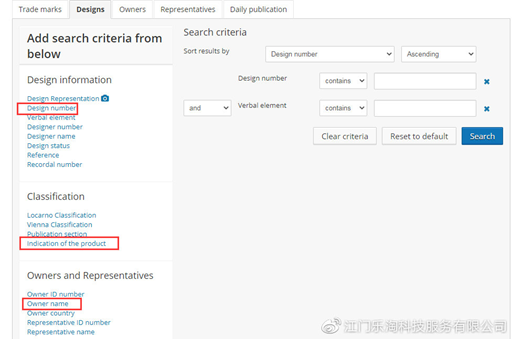
Method: Use the EUIPO’s eSearch tool.
Visit the eSearch website: EUIPO eSearch.
Enter your trademark name, logo, or design to check for conflicts.
3. Prepare Your Application Materials
Trademark Representation: A clear image or representation of your trademark (word, logo, or combination).
Goods/Services Description: A detailed list of the goods or services your trademark will cover, classified under the Nice Classification system.
Applicant Information: Name, address, and entity type (individual, company, etc.).
4. Create an EUIPO Account
Visit the EUIPO website: EUIPO Home.
Click on "Login" and create an account if you don’t already have one.
Use the eForms or User Area to start your application.
5. Complete the Online Application
Log in to your EUIPO account and access the EUTM Application Form.
Fill out the form with the following details:
Applicant Information: Name, address, and entity type.
Trademark Details: Name, logo, or design, and a description (if applicable).
Goods/Services: Specify the classes and descriptions using the Nice Classification.
Language: Choose a first language (one of the EU’s official languages) and a second language (for opposition proceedings).
Upload your trademark representation (e.g., a JPEG file for logos).
Review and submit the application.
6. Pay the Application Fee
The fee is paid online via credit card, bank transfer, or other accepted methods.
Fees:
Basic Fee: €850 for one class of goods/services.
Additional Classes: €50 for each additional class.
Online Application Discount: A reduced fee of €850 (includes one class) applies to online applications.
7. Monitor Application Status
After submission, you will receive a confirmation email with an application number.
Use the EUIPO’s eSearch or User Area to track your application status.
8. Respond to EUIPO Notifications (if needed)
If the EUIPO identifies issues (e.g., conflicts or formalities), they will send a notification.
You must respond within the specified timeframe (usually 2 months).
9. Publication in the EU Trademark Bulletin
If approved, your trademark will be published in the EU Trademark Bulletin.
A 3-month opposition period follows, during which third parties can challenge your trademark.
10. Receive Registration Certificate
If no opposition is filed, your trademark will be registered.
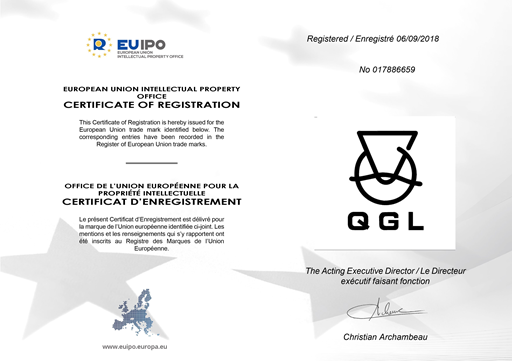
You will receive an electronic registration certificate from the EUIPO.
11. Maintain Your Trademark
Renewal: Renew your trademark every 10 years by filing a renewal application and paying the fee.
Use Requirement: Use your trademark in commerce to avoid cancellation for non-use.
Key Tips for Success
Accurate Information: Ensure all details in your application are correct to avoid delays.
Professional Help: Consider consulting a trademark attorney for complex cases.
International Protection: Use the Madrid System to extend protection outside the EU.
Timeline
Total Duration: Approximately 4-6 months (if no oppositions or issues arise).
Conclusion
Registering a European trademark online is a straightforward process through the EUIPO. By following this guide, you can secure trademark protection across all EU member states. For more details, visit the EUIPO website: EUIPO Trademarks.